Calculate your age in years, months and days. Enter your date of birth and use today’s date or choose a specific cutoff date.
Open the Age Calculator on its own
How to calculate age on a specific date
- Enter your date of birth.
- In Age on date, enter the date listed on your application or exam notice. To find your current age, select Today.
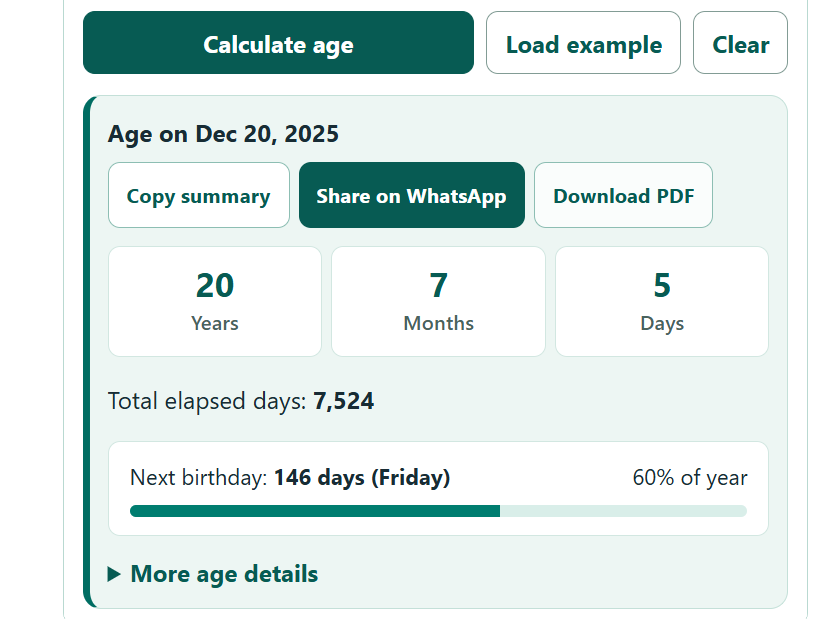
- Select Calculate age. The result shows your calendar age, total elapsed days and the time until your next birthday relative to the selected date.
Worked example. From May 15, 2005 to December 20, 2025, there are 20 full years to May 15, 2025, then 7 full months to December 15, and 5 more days. The age on that date is 20 years, 7 months and 5 days.
Use Download PDF to save a copy of the calculation with the dates you entered. Share on WhatsApp opens a draft with the age and reference date.
Age Calculator FAQs
How does the calculator count months?
It counts full calendar months from the date of birth, then counts the remaining days. If a month has fewer days than the birth month’s day number, it uses that month’s last day. For example, January 31 to February 28 in a non-leap year counts as one month.
How does it handle a February 29 birthday?
This calculator uses February 28 as the anniversary in non-leap years. For an official age cutoff, use the rules in the relevant application notice.
Can I calculate my age on a future date?
Yes. Enter the future date in Age on date. The selected date must be on or after your date of birth.
Are my dates sent to a server?
The calculator processes your dates in your browser. The PDF includes your date of birth. The WhatsApp draft includes the calculated age and reference date.