Free Study Planner for Your Weekly Schedule
Use this study planner to organize subjects, break revision into manageable sessions and see your week at a glance. Add a study date, estimated duration and priority, then mark sessions complete as you work through your plan.
Build your study plan ↓Create your weekly study plan
Start with one clear task. Your plan saves in this browser, and you can download a backup or print the selected week. No account is required.
Open the study planner in a new tab
For more space while planning, use the full-page option above. Browser storage is specific to your browser and device; download a backup before clearing website data.
How to use the study planner
- Add a specific task: for example, “Practice 10 algebra problems” or “Review chapter 3”.
- Choose a subject and study date: include an optional start time if you want a reference for your day.
- Set a duration and priority: estimate the minutes you need and choose high, medium or low priority.
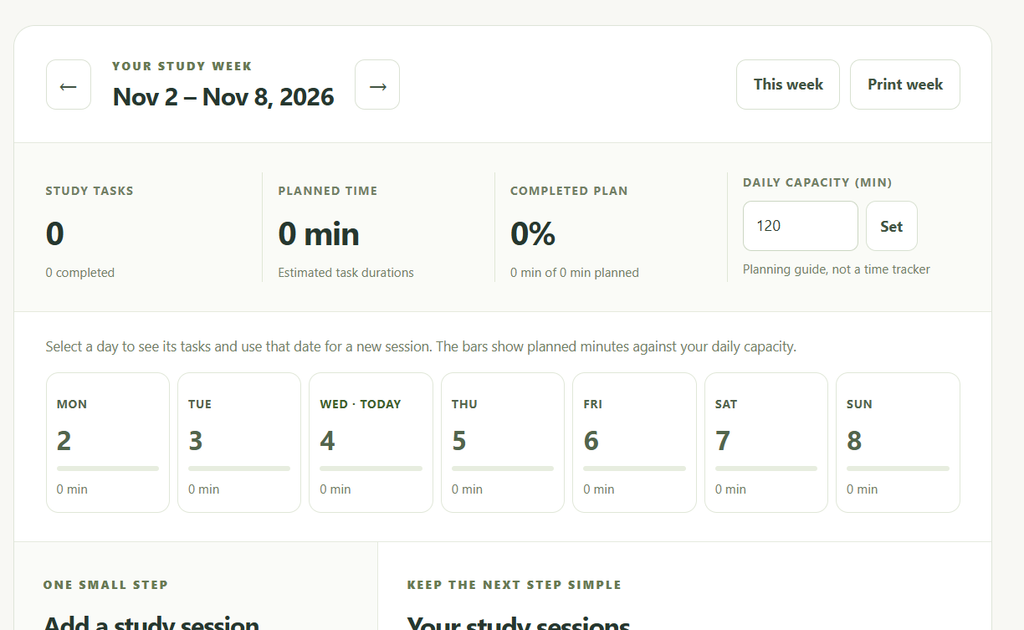
- Review the week: select a day, filter tasks, and check planned time against your daily capacity.
- Mark your progress: complete finished tasks and edit the date or duration of sessions that need adjusting.
Keep your study schedule realistic
Give each session a manageable goal and leave room for breaks. The daily capacity setting is a planning guide: a day is highlighted when its planned minutes exceed your chosen capacity. It does not measure your actual available hours or prevent overlapping sessions.
The completion percentage uses the estimated duration of tasks marked complete. For example, completing a 30-minute task in a week with 120 planned minutes shows 25% of planned time complete. This is not a running timer or a verified record of time spent studying.
Save, back up and print your plan
Tasks and daily capacity are saved in local storage in this browser. They do not automatically sync to another device. Download a JSON backup to keep a copy, and use Import backup to bring tasks into another browser. Existing tasks with the same IDs are kept unchanged during import.
Print week includes all tasks in the selected week, regardless of the filters shown in your task list. You can also use your browser’s print dialog to save the weekly schedule as a PDF.
Study planner FAQs
Is this study planner free?
Yes. Planning, task editing, completion tracking, backups and printing are free, with no account required.
Can I use it for exam revision?
Yes. Add revision tasks for different subjects and assign each a study date. Use notes for chapters, practice questions or assignment deadlines.
Will it remind me when to study?
No. It organizes your plan but does not send notifications, alarms or emails. Start times are references for your schedule.
Does my plan stay after I close the page?
Normally yes, when browser local storage is available. Private browsing, storage restrictions or clearing website data can remove or prevent saved plans. Keep a downloaded backup for important schedules.
Is there a task limit?
The planner supports up to 2,000 tasks and session durations from 5 to 720 whole minutes. Daily capacity can be set from 15 to 720 minutes.